03 / IMAGE UPLOAD & RECOGNITION
Share images in your AI chat.Talk about the details.
Upload a picture of an outfit, a room or a fictional character. Lutovia's image recognition describes what is visible, so the chat can respond to the picture and use those details in your roleplay.
AI storytelling · Ages 18+
Automatic preview: you upload an AI-generated reference picture and send it with a message. Mara refers to the clothing and surroundings and answers a follow-up about the hairstyle.

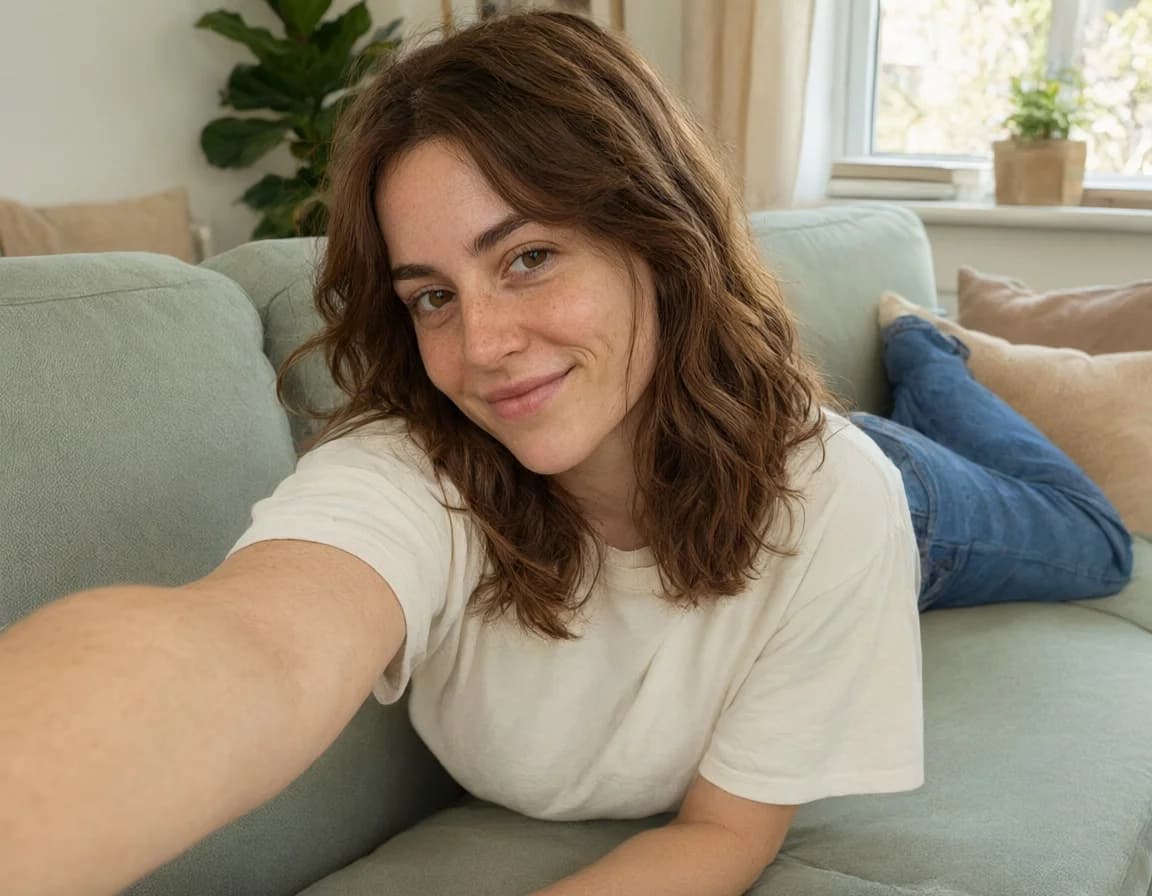
Fictional character · pre-generated AI media
HOW IT WORKS
How image recognition works in chat
- 1
Choose a picture
Tap Upload in your chat and select a picture you have permission to use. Add a message explaining what it shows or which details matter to your scene.
- 2
Let the AI read the details
With image recognition enabled, the app analyzes visible details such as clothing, appearance, objects and surroundings. A description is passed to the chat AI alongside your message.
- 3
Keep the conversation going
Ask about the outfit, react to the setting or use the picture to introduce a fictional character's appearance. Its description can inform later replies while it remains in the conversation context.
What your chat can do with an uploaded image
A visual starting point
Share a reference for a fictional person, a room or a small detail in your story. Your accompanying message helps explain how the picture fits into the conversation.
A reply that can refer to the picture
Recognized details become part of the chat context. Follow-up questions can refer back to that description, so you do not have to type out everything visible in the image.
Recognition and references have different jobs
Recognition describes an image for the chat. To guide a newly generated picture, select the upload separately as a reference in image settings. You can also turn automatic recognition off when you only need a reference.
FAQ
Image upload and recognition: your questions
How does the AI understand an uploaded picture?
With image recognition enabled, a vision model analyzes the image and creates a description of visible details. That description is passed to the chat model with your message. The chat can then refer to the clothing, people, objects and setting described in it.
What pictures can I upload?
JPG and PNG images are supported. Use pictures you own or have permission to use, and avoid sharing sensitive personal information.
Does uploading a picture also make it an image-generation reference?
No. Recognition gives the chat a description of the picture. To use it as a reference for a newly generated image, select the upload in image settings as well. You can disable automatic recognition if you only need a reference.Explore image generation with references
Will the AI recognize every detail correctly?
No. Small details, colors and positions can be misread, especially in unclear images. Tell the chat when an important detail is wrong. Image descriptions and chat memory cannot preserve everything indefinitely.
Are my uploads public, and how long are they stored?
Chat uploads are access-protected, not a public gallery. Uploaded references are kept until you remove them or delete the associated content. When recognition is enabled, AI services process the image to describe it. See the Privacy page for details about processing and storage.
Does image recognition use balance?
Automatic image analysis uses balance. It is separate from creating a new picture. The animation on this page only demonstrates the feature and makes no AI requests.
More ways to shape your chat
Create characters
Choose a personality, appearance and backstory for the characters you chat with.
Explore this feature02AI roleplay chat
Write together, edit replies and explore a different turn in the story without losing the original chat.
Explore this feature04Scene images
Turn the current scene into an image, with references to help guide your character's appearance.
Explore this feature05Image animation
Choose an image from the chat, describe a movement and turn it into a short video.
Explore this feature06Reference images
Give your character a pose to try. Use a portrait for their appearance and another photo for the pose.
Explore this featureStart your own conversation.
Create a character and see where your story goes.
Share a picture in your chatTry 5 replies with Velvet, our top chat model, and your first image free, once per account. No card required. Echo stays free. For more premium replies, images and videos, top up from $5. No subscription.